Triggering Cloud Agents From GitHub, Slack, and the Terminal
Each trigger surface encodes different assumptions about access, accountability, and control.
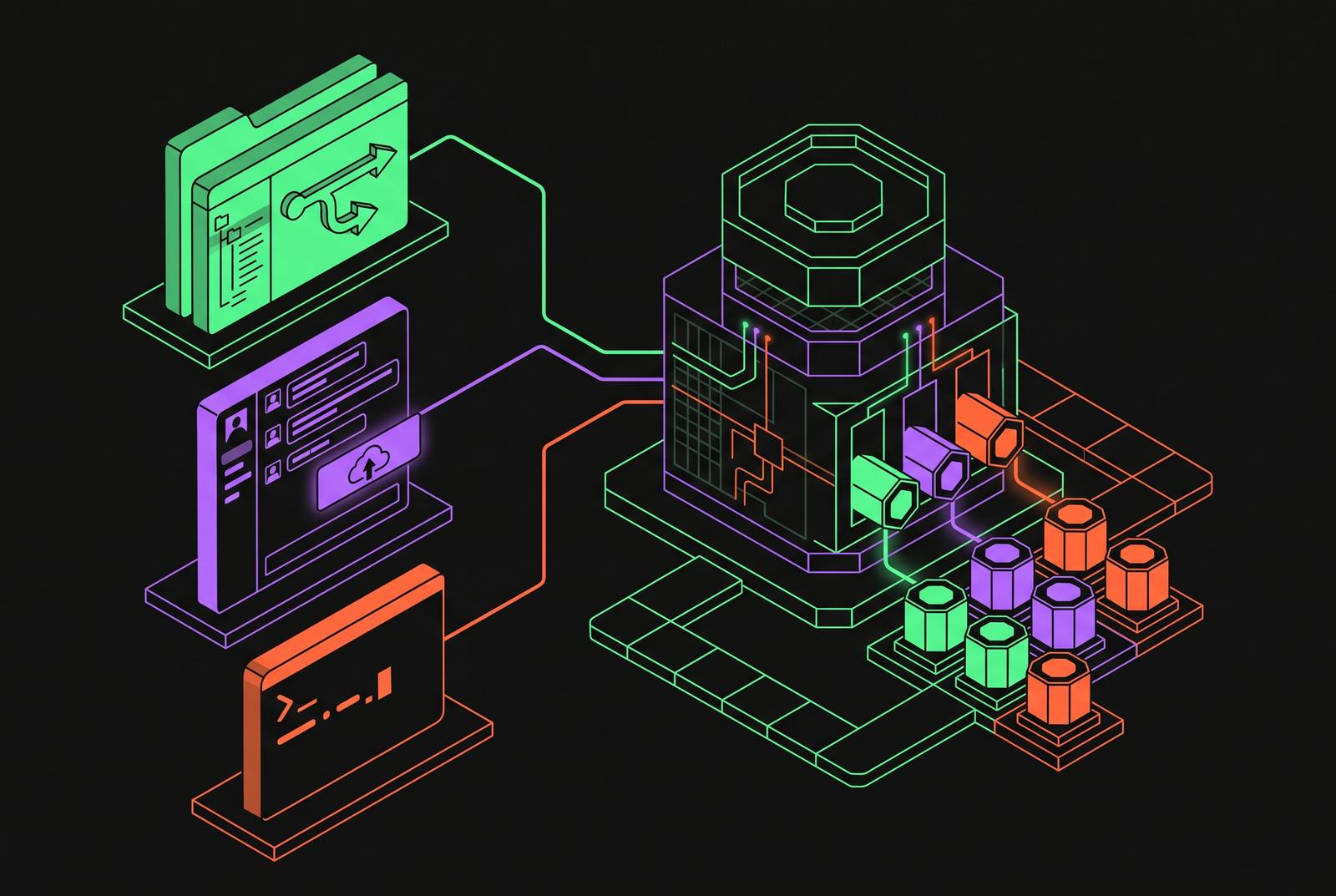
The surface that launches a cloud agent, whether that's a GitHub event, a Slack mention, or a terminal command, shapes what the agent knows when it starts, who can watch it work, and what controls apply to it along the way. Teams tend to pick a trigger based on whichever tool is already open on a developer's screen, so they treat the choice as a matter of convenience rather than a decision with structural consequences.
That convenience framing misses something important. Each surface encodes its own assumptions about who gets to see the work, who gets to authorize it, and who is accountable when it goes wrong. Three surfaces have become the practical options for teams running cloud agents today: GitHub event triggers, Slack-native triggers, and the terminal, whether invoked through a CLI or a direct API call. Each one maps onto a different slice of the engineering workflow and reaches a different set of people. Which surface is chosen determines who can start a task, what the agent sees when it does, how the work gets checked, and whether a record gets kept automatically.
How GitHub Event Triggers Work
Of the three surfaces, GitHub gives an agent the most structured starting point. An agent triggered from a pull request or an issue arrives with the exact code change in hand: the diff, the commit history behind it, the issue or PR text that prompted the task, and the repository's existing test and CI setup. Nothing about that context has to be reconstructed or guessed at.
The trigger itself fires on a specific event, a pull request opened, a comment posted, a check failing, an issue labeled, so the agent's job is bounded from the first moment by the payload that event carries, not by some open-ended instruction someone typed into a chat box. That boundary cuts both ways. The agent knows precisely what changed and why it was called in the first place, but anything that lives outside the repository, a decision made in a Slack thread, a requirement that shifted in a planning doc, stays invisible unless someone has gone to the trouble of enriching the trigger with that material.
In practice, this appears in a handful of recurring patterns: automated review when a PR opens, triage when a CI check fails, a fix-and-rerun cycle after a test regression, or description generation when a draft PR gets marked ready. One empirical study of agent-created pull requests, drawing on a collection of 99,976 workflow runs where AI agents modified YAML files, found that editing CI/CD configuration has become a routine action for these agents rather than a rare exception. That matters for anyone wiring up a GitHub trigger: deciding whether an agent should be allowed to touch workflow configuration is a question to settle before the trigger goes live, not after. And because the agent works inside the repository's existing structure, a pull request it opens has to pass the same branch protection rules, required reviewers, and CI checks that any human-authored change does. No separate approval system has to be built for it.
What GitHub Triggers Leave Out
A pull request or an issue is a snapshot taken at a single point in time. The conversation that produced it, the Slack thread where a team actually decided to take this approach, the product requirement that changed last week and never made it into the issue description: none of that travels with the event payload unless someone carries it over on purpose.
That gap has a practical consequence beyond missing context: it also determines who can take part. GitHub-triggered work happens inside a repository, and a repository is a space most non-engineers never open. A designer with an opinion about the agent's output, a product manager who knows the requirement shifted, a support lead who has heard from customers that the fix needs to go a different direction, none of them has a natural way to step into a task running on this surface. The work isn't inaccessible because anyone intended it that way; it's built for engineers reading code.
Making Agentic Coding Work Visible to the Whole Team with Slack Code
Slack Code, launched August 20, 2026, takes direct aim at that isolation. If you tag a coding agent from any conversation, it spins up a project-specific code channel, does the work where anyone can watch, and archives the channel once the job finishes, so it leaves behind a searchable record of the whole exchange.
The design rests on a "multiplayer" claim: as the agent works, the code diffs, a live preview of the running output, and the agent's own plan sit in dedicated tabs inside the channel, so an engineer, a product manager, and a designer can all look at the same task and, if something needs to change, redirect it mid-stream rather than waiting for a finished pull request to react to. That openness also solves the GitHub surface's missing context. An agent triggered from a Slack thread inherits the conversation that spawned the request, the organizational reasoning behind it, the stakeholder preferences that shaped it, and the decisions that were already made before anyone typed the agent's name. None of that has to be reconstructed, because the agent was there for it.
The archiving step does double duty. It closes out the channel cleanly for anyone reading later, and it produces a time-stamped, searchable account of what was asked, what the agent did, and what got reviewed, without a team having to stand up a separate logging system to capture any of it. Slack Code is available on any Slack plan from launch, but teams still have to supply their own access to the partner agents they want to run through it.
The governance model Slack Code builds into its agent interactions
Slack Code treats governance as part of the trigger surface's design rather than something bolted on afterward. Three properties sit at the center of that design: scoped context, execution a team can actually observe, and a human able to step in by default.
On execution, Slack Code specifies that Devin runs inside isolated sandboxes with the minimum access it needs to do the job, and there's an optional mode that cuts off internet access. The trigger surface and the environment the agent actually runs in were built together, not connected after the fact. The Agents tab gives every session a visible home with live status and a stop button, which fires through the agent_session_stopped event, and that interrupt is available to anyone in the workspace with the right permissions, not reserved for whoever happened to start the task. Authorization follows a similar logic: the "Add to Slack" flow brings in agents from partner platforms through an automated OAuth process with no manual configuration required. An organization can audit and revoke that access through the same OAuth management it already uses for everything else, instead of relying on credentials passed around informally. The channel-per-task structure adds a final layer of containment: each task lives in its own channel, so if something goes wrong, the damage stays inside that channel's context rather than spreading into the team's shared workspace.
What the terminal surface is actually good at and why it is not going away
If an agent has to run without a graphical interface, slot into a script or a CI pipeline, or get called programmatically by another system, the terminal is still the right surface, because a chat window would simply be the wrong tool for the job.
By mid-2026, the bulk of serious CLI agent usage was coming from CI pipelines, SSH sessions, and machines with no GUI. The terminal became the default surface for automation because it's scriptable and because the agent running there doesn't need to compete with anything for screen space or a window manager. Much of that pattern traces back to Claude Code's research preview in February 2025, which established the core shape of the CLI surface: an agentic loop, file and shell tools, a project memory file, and permission prompts, with plan mode, hooks, and subagents layered on through later releases across the rest of 2025. Later CLI agents have largely followed that same template.
For work that's well-defined and repeats on a schedule, nightly dependency updates, scheduled migrations, test generation run on a cron job, the terminal is the most sensible choice precisely because the task doesn't change from one run to the next and no one needs to be watching when it fires. The tradeoff is visibility. By default, what happens in a terminal session is visible only to whoever reads the logs afterward, so if you want an audit trail comparable to what Slack Code produces automatically, you have to build it deliberately into the terminal setup.
Running Agents from a Terminal or CI Without Deliberate Governance Instrumentation Creates a Blind Spot
A terminal session generates no audit trail unless a team has gone out of its way to build logging and observability into the agent's configuration or the infrastructure underneath it. Tool calls, diffs, the reasoning steps that led to a given output, where one session ended and the next began: all of it stays invisible by default.
Consider what happens when an agent modifies a YAML workflow file from a terminal session. The change lands in the repository as a commit, and the commit is real and reviewable. But the chain of tool calls and intermediate decisions that produced that commit doesn't travel with it. Anyone reviewing the change later sees the result without seeing the reasoning, and that gap is exactly the kind of thing regulatory frameworks like the EU AI Act are starting to take aim at: high-risk AI systems are expected to support automatic logging that lets a decision be reconstructed after the fact and reviewed by the people responsible for it. A commit alone does not meet that bar.
Governance Infrastructure Cloud Agents Need Regardless of Which Surface Triggers Them
The trigger surface decides how a task gets started and who can see it happening. But the properties that make agentic work safe to run in production, credentials scoped to what the task actually needs, isolated sessions, limits on spend, and a complete record of what happened, have to be enforced at the infrastructure layer that underlies all three surfaces, not left to whichever surface happens to be in use.
Session isolation matters because if an agent runs shell commands, installs packages, or reaches out over the network, it needs an execution environment that can't touch anything beyond its own task. Without that isolation, a misconfigured agent triggered from any of the three surfaces can reach the host system or another team's infrastructure, and the stakes here are not hypothetical: a 2026 security scan found that 64% of security findings in agent projects involved tool functions accepting unvalidated input straight from the model.
Cost has its own version of the same problem. Agentic models burn through meaningfully more tokens per task than a standard generative AI exchange, and that volume adds up across every surface running at once, not just the busiest one. A budget cap enforced at the infrastructure level, scoped per session, per developer, per time window, stops a runaway loop wherever it started, rather than relying on an alert that shows up only after the spend has already happened.
Audit trails need the same infrastructure-level treatment. A complete ledger of every tool call, every diff, every reasoning step, tied back to whoever or whatever triggered the session, has to come from the infrastructure itself rather than from whatever each surface happens to log on its own. The terminal, left on its own, produces nothing. Slack produces a channel archive. Neither one, by itself, can replace a structured, queryable record of what an agent session actually did. And when the rules that govern what an agent is allowed to touch, its tool permissions, its network access, its budget, live in a configuration file checked into the repository and reviewed through a normal pull request, those rules stay auditable and version-controlled no matter which surface calls the agent into action.
How Managed Cloud Infrastructure Handles Trigger-Surface Governance
Managed infrastructure for cloud agents works by separating the question of how a task starts from the question of how it runs. A GitHub event, a Slack mention, and a terminal command can all hand off to the same underlying execution environment, the same sandboxing rules, the same budget ceilings, and the same audit logging, so that the governance properties a team expects do not shift depending on which surface a developer happened to reach for that day.
That consistency is the point. A task triggered from a PR comment and a task triggered from a Slack channel should both run inside isolated sandboxes with access scoped to what the job actually requires, both produce a structured record of every tool call and decision, and both respect the same spending limits, regardless of the fact that one surface gives the agent a conversation thread and the other gives it a diff. Building that consistency at the infrastructure layer, rather than asking each surface to invent its own version of scope control, interruption, and logging, is what lets a team adopt GitHub triggers, Slack Code, and terminal-based automation side by side without multiplying its governance burden three times over.